Overview
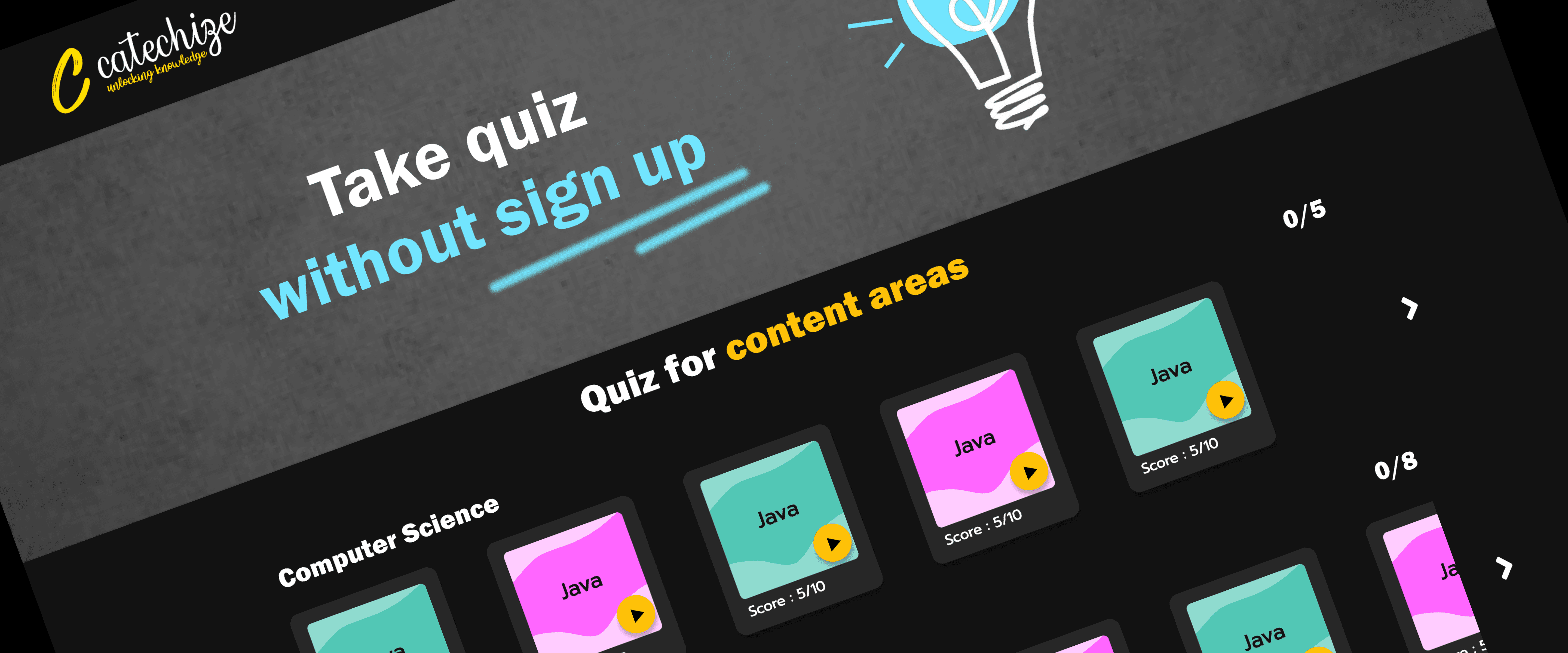
This is a one-page static website designed for quiz management. The website enables an admin to upload multiple quizzes across various subjects. Users can easily interact with the content by selecting quizzes from visually organized cards, answering multiple-choice questions (MCQs), and instantly receiving feedback on their answers. Scores are tracked and displayed at the top of the page.
Features
1. Admin Features
Quiz Upload: The admin can upload multiple quizzes and categorize them by subjects like Computer Science, General Knowledge, General Science, and English.
Content Management: Each subject category can have multiple quiz cards, and the admin can organize and update content regularly.
2. User Features
Play Quizzes:
Users select a quiz by clicking the play button on a quiz card.
A quiz dialog box opens, displaying one question with four options.
Users can select an answer, and the system provides instant feedback (right or wrong).
Score Tracking:
Scores are updated in real time and displayed prominently in the top bar.
Reset Option:
Users can reset their quiz progress and scores using the Reset button in the top bar.
The reset feature allows users to start fresh at any time.
User Interface Elements
1. Top Bar
Reset Button: Allows users to reset their quiz progress and start over.
Score Display: Displays the total score out of 220 points.
Navigation Options: Provides buttons for accessing sections like "Score," "Subject," and "About."
2. Hero Section
Tagline: "Take quiz without sign up."
Visual Icon: A lightbulb graphic to emphasize learning and creativity.
3. Quiz Content Area
Quizzes are categorized by subjects:
Computer Science: Includes multiple cards labeled "Java," with a play button on each.
General Knowledge
General Science
English
Each category displays the total number of quizzes (e.g., "0/5" for Computer Science).
Users can scroll horizontally to browse quizzes within a category using navigation arrows on either side of the category.
4. Quiz Cards
Each card includes:
Subject Name: Displayed prominently (e.g., "Java").
Play Button: A yellow button to start the quiz.
Score: Indicates the current score for that quiz (e.g., "Score: 5/10").
5. Footer
Displays the copyright information: "Copyright ©2023 catechize."
Functionality
1. Quiz Dialog Box
Opens when a user clicks the play button on a quiz card.
Displays the following:
Question: One question at a time.
Options: Four clickable choices for the user to select from.
Feedback:
After selecting an answer, feedback ("Correct" or "Wrong") is displayed instantly.
The feedback is visual (highlighting correct/incorrect answers) and may include a short explanation.
Score Update: The user's score is updated in real time and shown on the top bar.
2. Score Tracking
Total score is calculated dynamically based on quiz performance.
The score is displayed in the top bar.
Users can check their progress within individual categories and their overall performance.
3. Reset Functionality
Resets all scores and quiz progress to the initial state.
The reset button is always accessible in the top bar.
After resetting, users can start taking quizzes again from scratch.
Design Elements
1. Color Scheme
Background: Dark theme with a black background to enhance visual focus on content.
Cards: Bright, contrasting colors like cyan, pink, and yellow for quiz cards to create a vibrant interface.
Text: White and yellow text for clarity and emphasis.
2. Typography
Headings: Bold and large for easy readability.
Body Text: Simple and clean font for descriptions and instructions.
3. Navigation
Horizontal scrolling for categories allows users to explore more content within limited screen space.
Clear and intuitive play buttons for starting quizzes.
Technical Considerations
1. Static Nature
The website is static, meaning all content (quizzes, categories, and scores) is predefined and does not require server-side processing.
2. Responsive Design
The layout adapts to various screen sizes for seamless user experience on desktops, tablets, and mobile devices.
Conclusion
This one-page quiz website is a simple, efficient platform for interactive learning. With its clean design, instant feedback system, and seamless score tracking, it offers an engaging experience for users. The admin's ability to upload and manage quizzes makes it highly customizable and scalable for various educational purposes.
