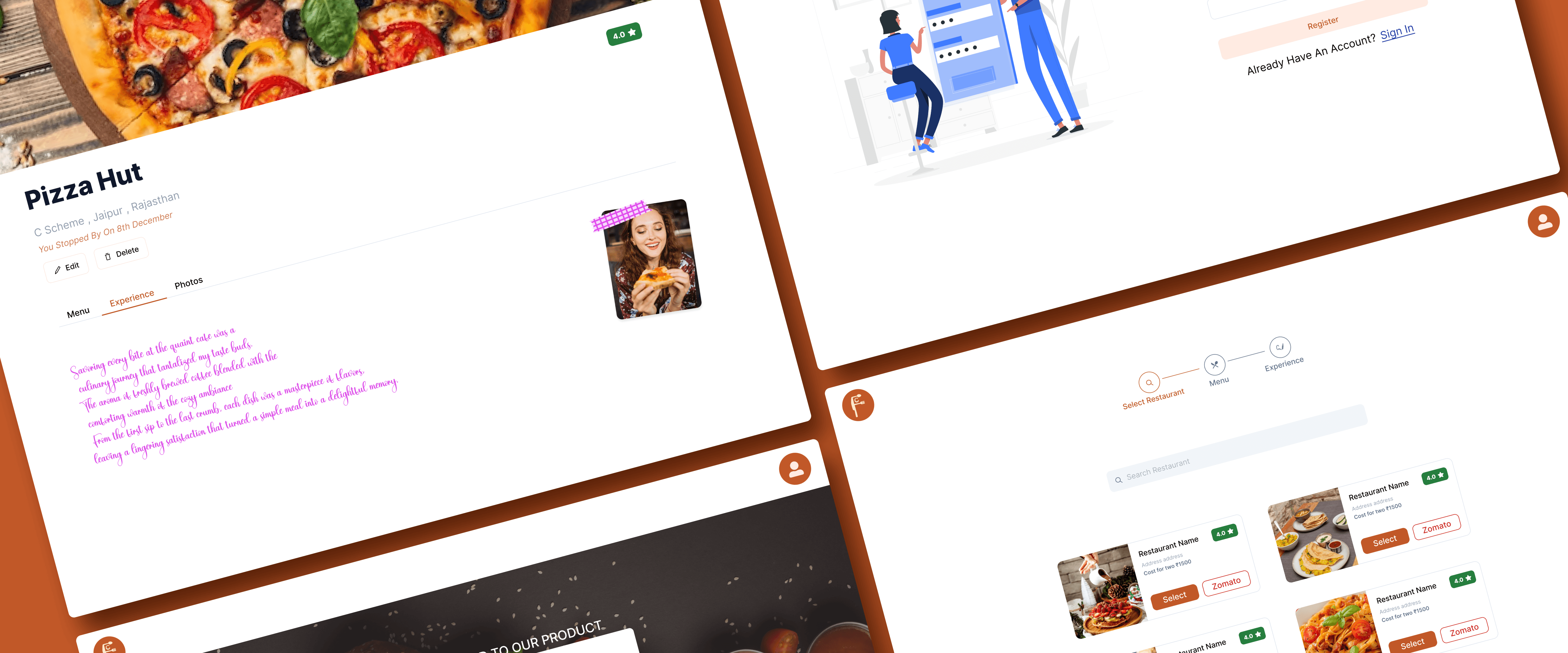
FoodChums is an innovative platform designed for food lovers who enjoy documenting their culinary experiences. It serves as a personal food journal, allowing users to explore cafes, record their dining experiences, and maintain a detailed food diary. Below, the key aspects of the website are explained in detail:
1. Purpose and Concept
FoodChums combines the concept of food exploration and journaling. Users can treat it as their personal diary where they:
Record experiences at cafes and restaurants.
Add photos and detailed descriptions of dishes.
Track expenses for meals.
Create wishlists of cafes to visit.
This platform enhances the joy of food exploration by enabling users to preserve memories in a visually appealing way.
2. Key Features
a) User Authentication
Users can sign up or log in to create a personalized experience.
User credentials include name, email ID, and password.
b) Food Documentation
Users can:
Write about their visit to cafes.
Add photos of dishes or the venue.
Include dish prices for expense tracking.
Write detailed reviews of their dining experiences.
The reviews are displayed in a handwriting-style font to mimic the feel of a physical journal.
c) Search Functionality
Users can search for:
Cafes by name, location, or cuisine.
Other users’ reviews and recommendations.
A search bar provides quick access to relevant options.
d) Photo Integration
Users can upload images to enhance their journal entries.
Photos can include:
Dishes tried.
The ambiance of the cafe.
Personal moments during the visit.
e) Wishlist Creation
Users can add cafes to a wishlist for future visits.
Cafes can be marked with an "Explore Later" tag for easy tracking.
f) Expense Tracker
An expense table is available to:
Record the prices of dishes.
Calculate total expenses for a visit.
Keep a historical record of spending.
3. Visual Design and User Interface
a) Homepage
The homepage greets users with the tagline: "Where flavors meet memories!"
It includes sections such as:
Food Documentation.
Search Functionality.
Photo Integration.
Illustrated graphics provide a welcoming aesthetic.
b) Navigation Bar
The navigation bar includes:
Sign In and Sign Up options.
Links to user profiles, search, and wishlist.
c) Journal Entry Layout
Users can add:
A header for the cafe name.
A text area for reviews.
Image placeholders for photos.
Expense details in a tabular format.
4. User Flow
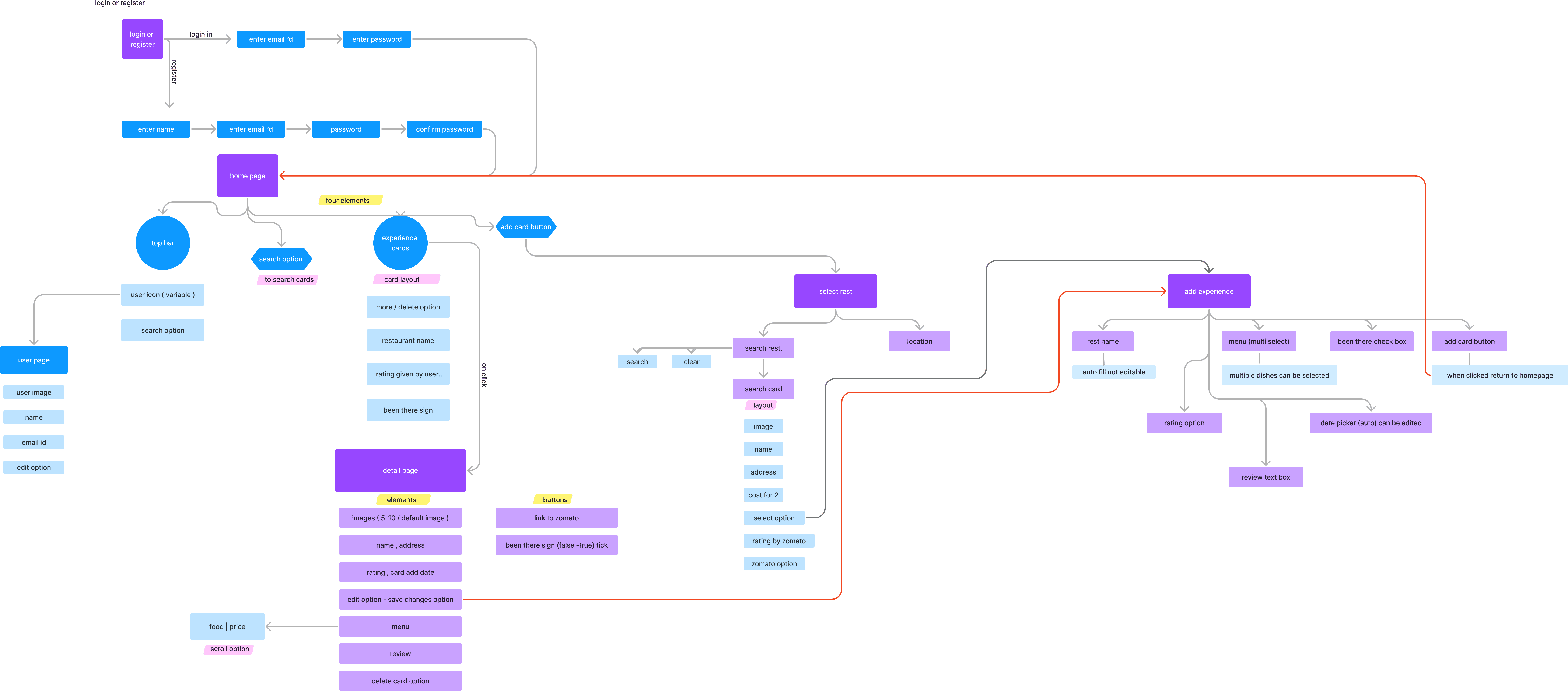
a) Registration and Login
Users start by registering with their email and creating a password.
Post-login, users are directed to the homepage.
b) Creating a Journal Entry
Users can click on the “Add Experience” button.
Fields available:
Restaurant Name (with auto-suggestions).
Dishes tried (with multiple selection options).
Ratings (1-5 scale).
Personal review (displayed in handwriting font).
Upload images.
Expense tracker table.
c) Exploring Cafes
Users can search for cafes using filters such as:
Location.
Cuisine.
Average cost.
d) Wishlist Management
Users can add cafes to their wishlist for later exploration.
Cafes can be removed or marked as “Visited.”
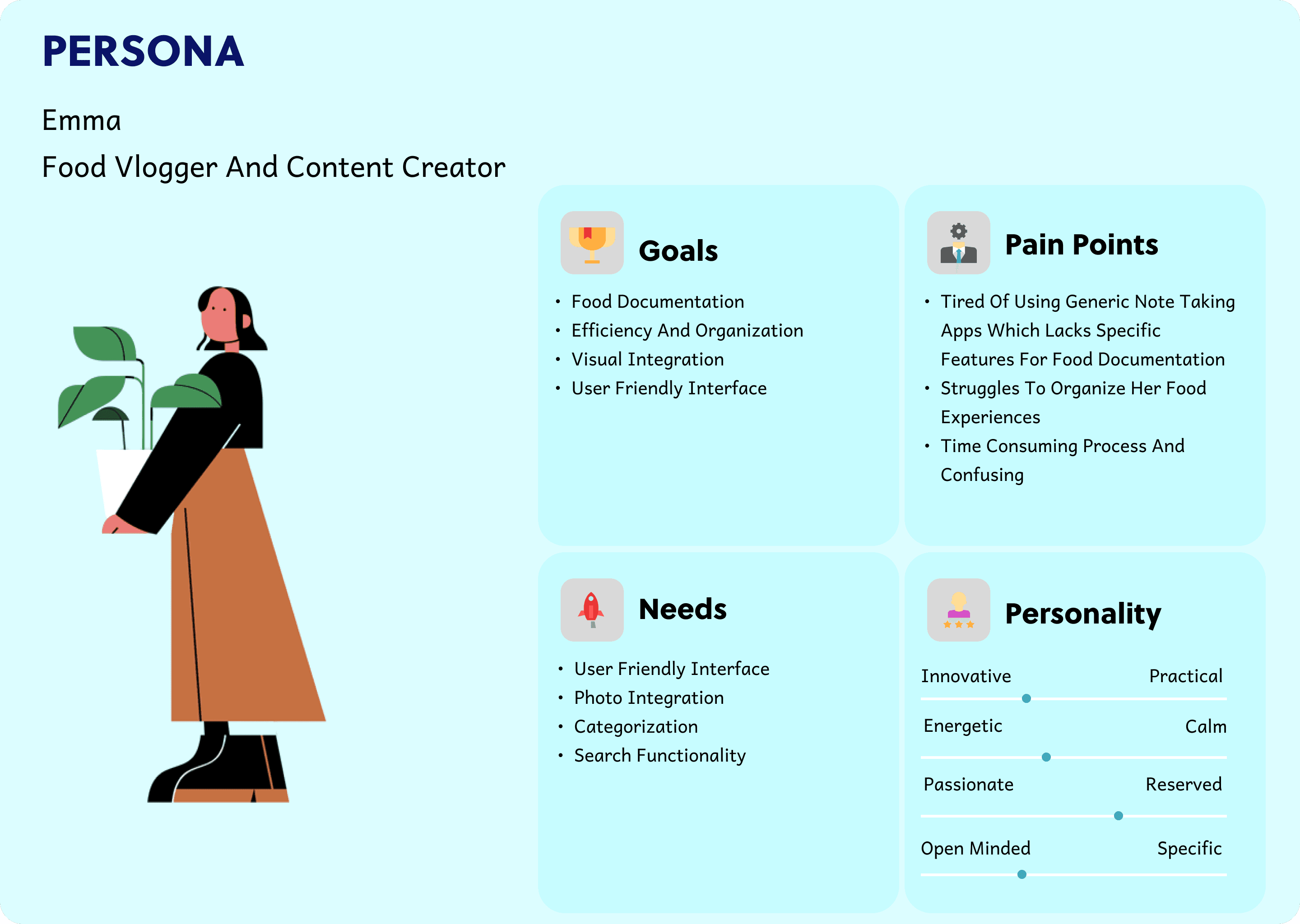
5. User Persona
6. Unique Selling Points (USPs)
Journal Aesthetic: The handwriting-style font adds a personal touch to journal entries.
Expense Tracking: Helps users manage and analyze their spending habits.
Visual Storytelling: Photos and text combine to create a rich storytelling experience.
Conclusion
FoodChums bridges the gap between culinary exploration and journaling, offering food lovers a platform to preserve and cherish their food journeys. This innovative approach makes dining out more memorable, organized, and enjoyable.
